

Claude
claude.ai, Claude Desktop and mobile
ChatGPT
chatgpt.com; every action on Business, Enterprise, Edu
Claude Code
Anthropic’s coding agent
OpenAI Codex
Codex CLI, IDE extension and ChatGPT desktop
Cursor
The Cursor editor
VS Code + Copilot
GitHub Copilot in VS Code
Gemini CLI
Google’s command-line agent
Other apps
Windsurf, Zed, Cline, n8n, Make
The ChatSyncs connect page
Most apps connect with browser sign-in. You add ChatSyncs in the app, and the app opens this ChatSyncs page in your browser: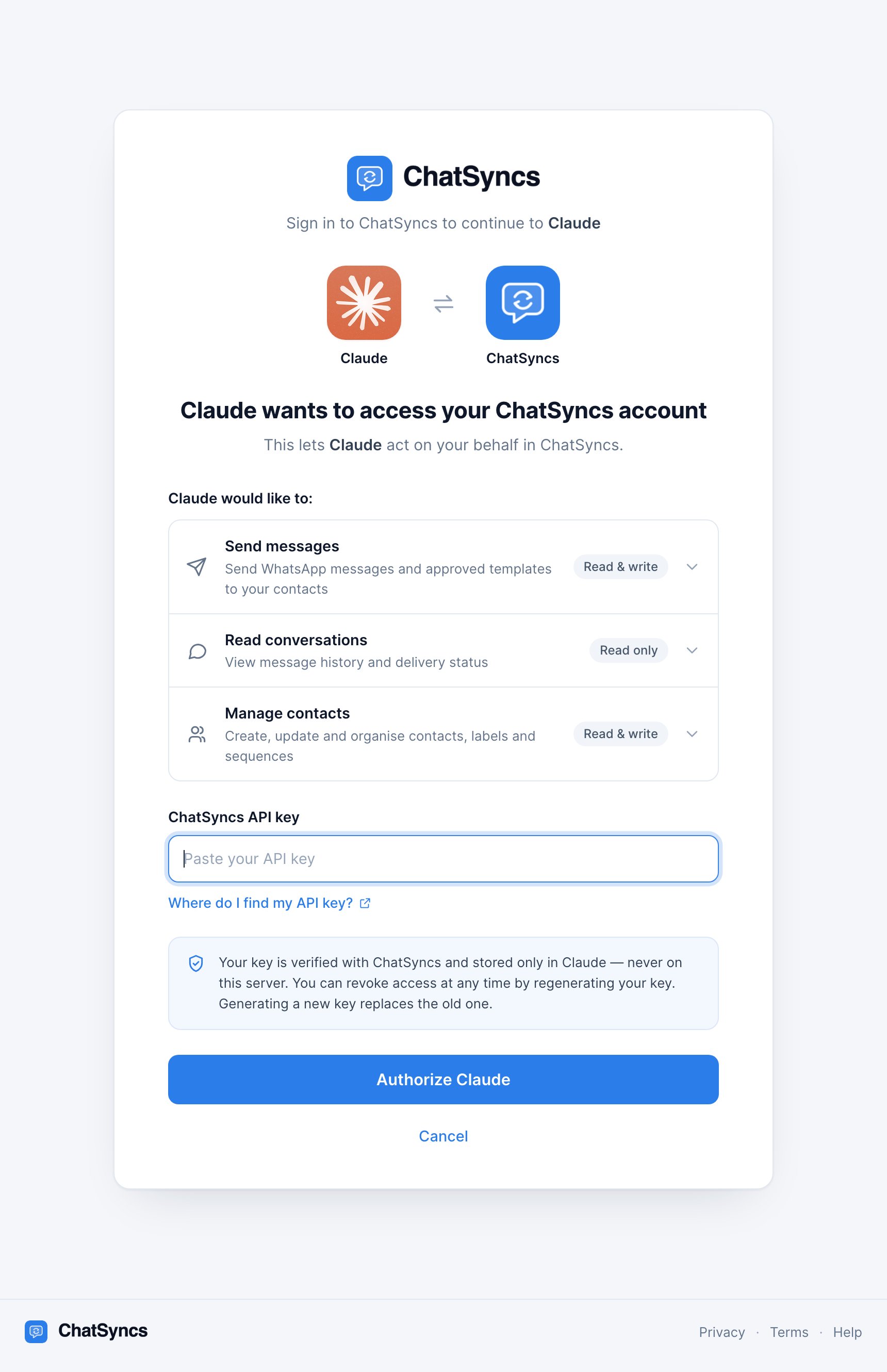
The ChatSyncs connect page, here opened by Claude. It names the app asking to connect, lists what it will be able to do, and asks for your ChatSyncs API key.
- Who is asking. The app’s name and logo, for example “Claude wants to access your ChatSyncs account”. Apps ChatSyncs can’t identify show their own name with a plain icon, or “An AI assistant” if they give no name.
- What it can do. Send messages, Read conversations, Manage contacts and ChatSyncs help & guides (public product information, nothing from your account). Click a row to see the details.
- ChatSyncs API key. Paste your key here. The Where do I find my API key? link opens the API Developer Console.
- Authorize app name (or Authorize access for an unnamed app). Checks your key with ChatSyncs and connects.
- Cancel. Sends you back to the app without connecting.
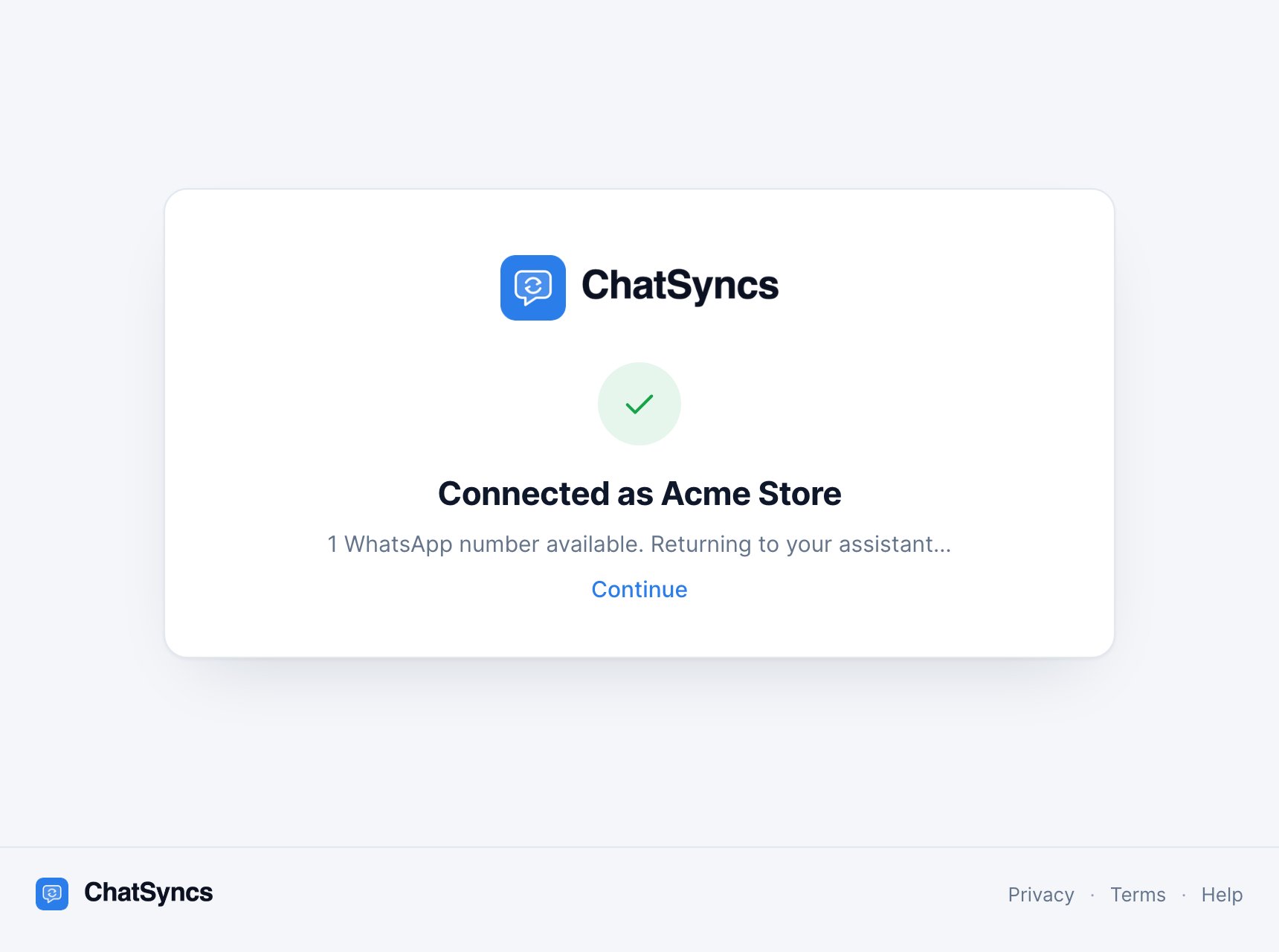
After you click Authorize: ChatSyncs confirms the business the key belongs to and how many WhatsApp numbers are available. The business name here is an example.
How long the connection lasts
Your app stays connected and renews its access quietly in the background. You’ll be asked for your key again only if you remove ChatSyncs from the app, or the app goes unused for more than a year. If you regenerate your API key, every connected app stops working on purpose, but it won’t ask you for the new key. Each action fails with “ChatSyncs rejected the API key” until you reconnect that app. See After you regenerate the key. The connect page itself is valid for 10 minutes. If you leave it open longer, you’ll see “This page expired”: start the connection again from your app.Where your key is stored
In your AI app’s credential storage, not on the ChatSyncs MCP server. The server keeps no database of keys: the key arrives with each request, is used, and is discarded. See Get your API key for detail, and how to revoke access.Settings for any other app
If your app supports remote MCP servers but has no guide here, use these:The address
https://mcp.chatsyncs.com (without /mcp) also works. These guides use /mcp
everywhere so it’s the same in every app.Last resort: the key in the address
Some apps only have a box for a URL: no browser sign-in and no headers. For those, you can put the key in the address itself:Frequently asked
Why does it ask for an API key instead of my ChatSyncs password?
Why does it ask for an API key instead of my ChatSyncs password?
ChatSyncs connects AI apps with your API key, the same key the Developer API uses. Your
password never leaves ChatSyncs, and you can cut off every AI app by regenerating the key
without changing your password.
Do I have to install anything from ChatSyncs?
Do I have to install anything from ChatSyncs?
No. The server is hosted at
mcp.chatsyncs.com. You only add its address in your AI app.Can I connect two ChatSyncs accounts?
Can I connect two ChatSyncs accounts?
Yes. Add ChatSyncs a second time in your app, with a different name (for example “ChatSyncs
Shop 2”), and paste the other account’s key on the connect page.
I have several WhatsApp numbers. Which one does it use?
I have several WhatsApp numbers. Which one does it use?
With one number, it’s used automatically. With several, the assistant asks which one. Say,
for example, “send it from the support number”.
Does ChatSyncs see my conversations with the AI?
Does ChatSyncs see my conversations with the AI?
No. Only the actions the assistant takes reach ChatSyncs, as ordinary API calls. Your chat
with the AI stays between you and your AI provider.